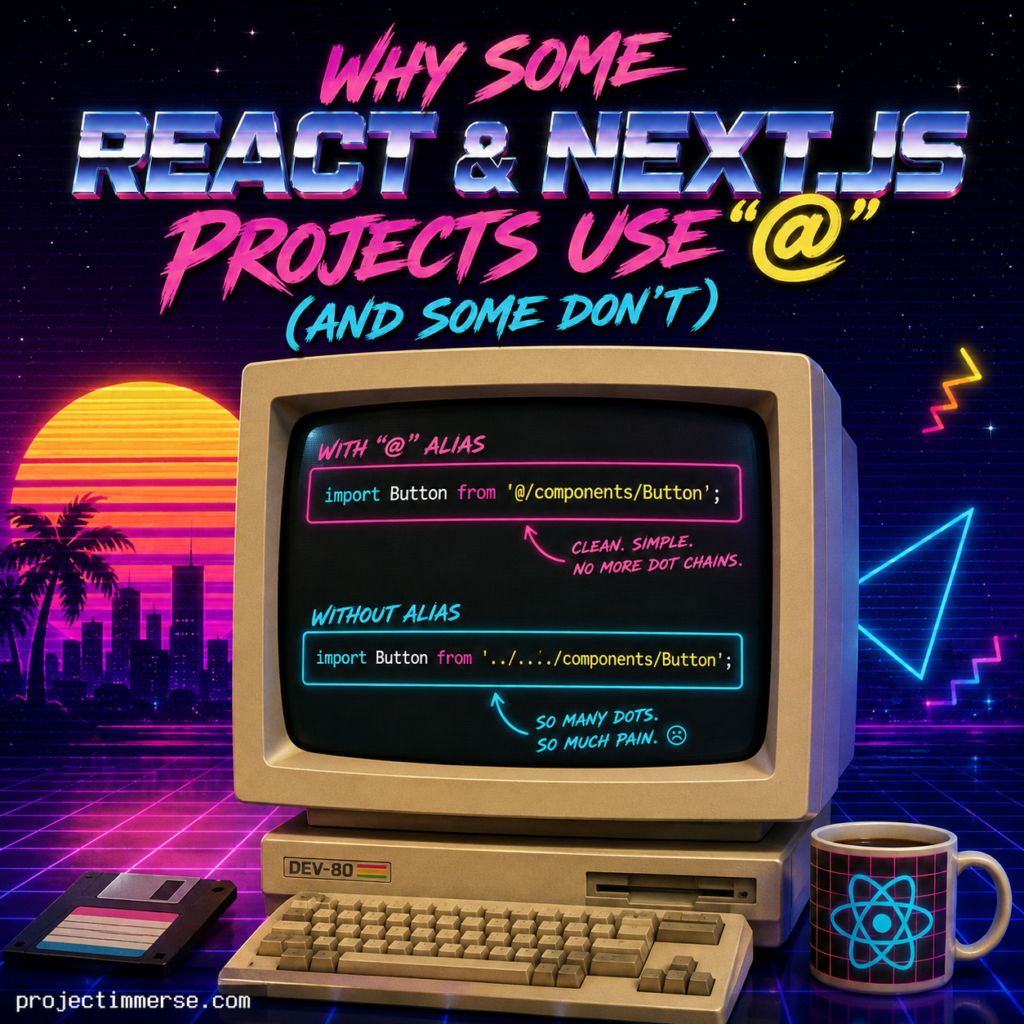
@ path aliases with traditional relative imports, illustrating why many developers prefer cleaner import paths.If you’ve spent any time jumping between React or Next.js codebases, you’ve probably noticed something weird: some projects have imports like this —
js
import Button from '@/components/Button';
— and others look like this:
js
import Button from '../../../components/Button';
Same framework. Same language. Wildly different vibes. So what gives? Is the @ some secret JavaScript operator nobody told you about? A cry for help from a developer three folders too deep?
Not quite. Let’s clear it up.
The Short Answer
The @ symbol isn’t a JavaScript feature, a React feature, or even magic. It’s a path alias — a shortcut that a project chooses to set up (or doesn’t). Whether you see it in a codebase comes down to configuration, not framework version, and definitely not vibes.
What “@” Actually Does

@) simplify imports, improve readability, and make projects easier to maintain compared to long relative import paths.Instead of writing out a relative path and counting dots like you’re defusing a bomb:
js
import Button from '../../../components/Button';
You get a clean, absolute-style import:
js
import Button from '@/components/Button';
@ almost always points to your project root or src/ folder. It’s a find-and-replace trick your bundler and TypeScript compiler understand — nothing more, nothing less.
Why Some Projects Have It and Others Don’t
1. It depends on setup choices, not Next.js version
When you scaffold a new app with create-next-app, it actually asks you:
“Would you like to customize the default import alias (@/)?”*
Say yes (or just hit enter on the default), and boom — you’ve got @/ support out of the box. Older projects, or ones someone put together by hand years ago, never got asked that question, so they never got the alias either.
2. Someone has to flip the switch manually
The alias lives in tsconfig.json (for TypeScript projects) or jsconfig.json (for JavaScript ones), under paths:
json
{
  "compilerOptions": {
    "paths": {
      "@/*": ["./src/*"]
    }
  }
}
No paths config, no @ support. Simple as that. If you try to use @/ in a project without this setup, your imports will fail — and you’ll spend twenty confused minutes Googling before realizing nobody configured it.
3. Developer preference plays a bigger role than you’d think
Not everyone loves the @ alias, and that’s a legitimate stance, not a personality flaw. Some developers stick with relative imports because:
- They’re explicit about exactly where a file lives
- No extra config to maintain
- Some tooling (older linters, certain test runners) doesn’t always play nicely with aliases
Others swear by @/ because:
- Moving files around doesn’t break every import chain
- Imports stay readable no matter how deep your folder structure gets
- Nobody has to write
../../../../and question their career choices
4. “@” isn’t the only alias in town
@ is just the most popular convention — borrowed originally from the Vue and Nuxt ecosystems and widely adopted across React and Next.js. But teams also use:
~/(common in some Nuxt and Sass setups)#/- Feature-specific aliases like
@components/,@utils/, or@lib/
There’s no universal rule. It’s whatever the team decided made their imports less painful.
How to Add It Yourself
If you’ve got a project stuck in relative-import purgatory and want to modernize it, here’s the quick version:
- Open (or create)
tsconfig.jsonorjsconfig.jsonin your project root. - Add a
pathsconfig pointing@/*to your source folder:
json
{
  "compilerOptions": {
    "baseUrl": ".",
    "paths": {
      "@/*": ["./src/*"]
    }
  }
}
- Restart your dev server (aliases love to pretend they’re not working until you restart).
- Update your imports — or better yet, let your editor’s find-and-replace do it for you.
That’s it. No package install, no build tool wizardry required for most standard Next.js setups.
The Bottom Line
If you see @/ imports in a project, someone configured a path alias in tsconfig.json or jsconfig.json — either by accepting the Next.js setup prompt or by adding it manually. If you don’t see it, nobody bothered, or the team simply prefers relative paths.
Either way is valid. It’s not a sign of a “better” or “worse” codebase — it’s just one more thing developers quietly disagree about, right alongside tabs vs. spaces and where the semicolon goes.