If you’ve spent any time in the JavaScript ecosystem, you’ve probably noticed it has a personality disorder: it can’t stop reinventing itself. Just when you’ve made peace with React, along comes Next.js, acting like it’s here to “help,” and suddenly your useEffect hooks feel like they’re from the Stone Age. So let’s clear the fog. This article breaks down what React actually is, how Next.js builds on top of it, where directives and routing get weird, whether Express.js still has a job, and the pitfalls that trip up even experienced developers.
Grab a coffee. This one’s a bit of a read, but by the end you’ll actually understand the “why,” not just the “how.”
What React Actually Is (And Isn’t)
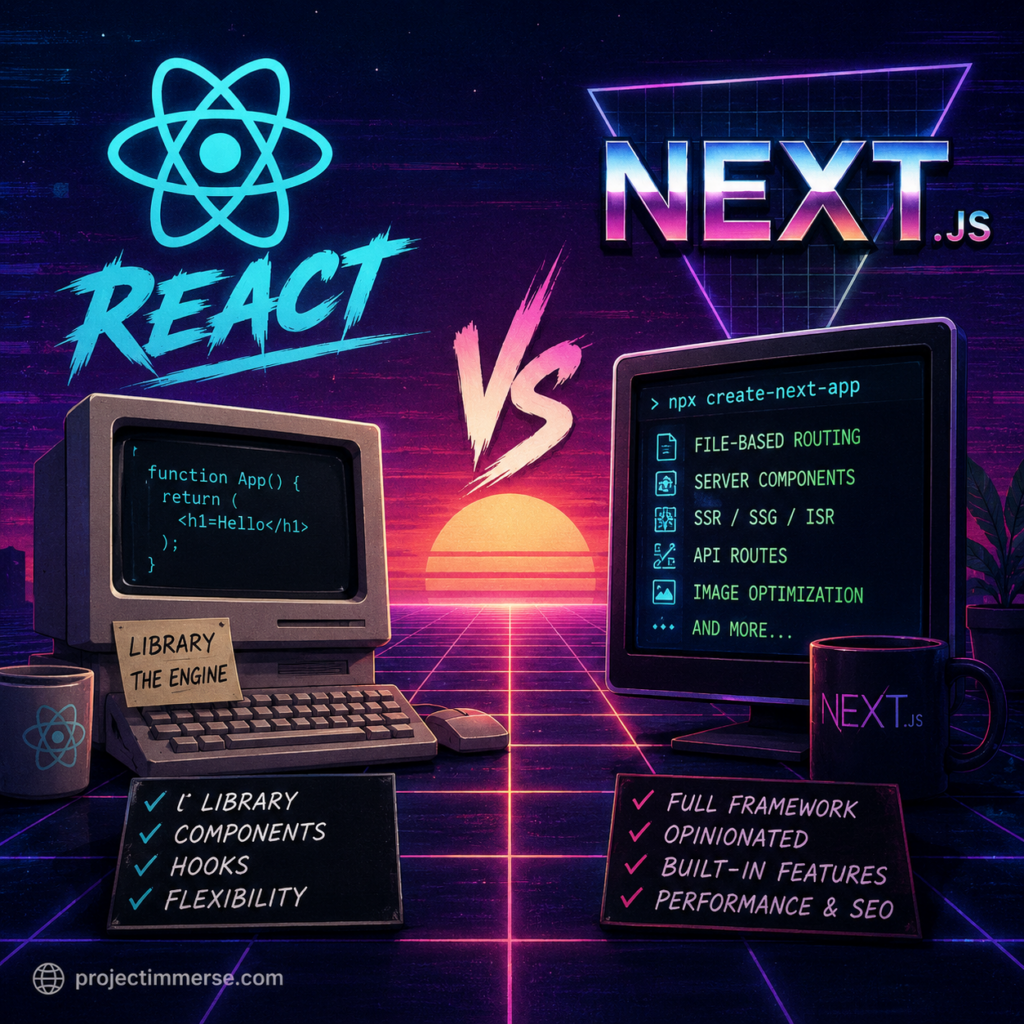
React is a library, not a framework. That distinction matters more than people admit. React gives you components, state, props, hooks, and a virtual DOM to make UI updates efficient. That’s it. It doesn’t tell you how to route between pages, how to fetch data, how to handle SEO, or how to structure a project. It’s the engine, not the car.
This is great for flexibility and terrible for decision fatigue. Ask ten React developers how to structure a project and you’ll get eleven opinions, three of which are strongly worded.
React alone is typically paired with:
- A bundler (Vite, Webpack)
- A router (React Router, historically)
- A data-fetching strategy (fetch, Axios, React Query)
- Your own opinions about folder structure, which will inevitably be wrong in six months
Enter Next.js: React’s Overachieving Sibling
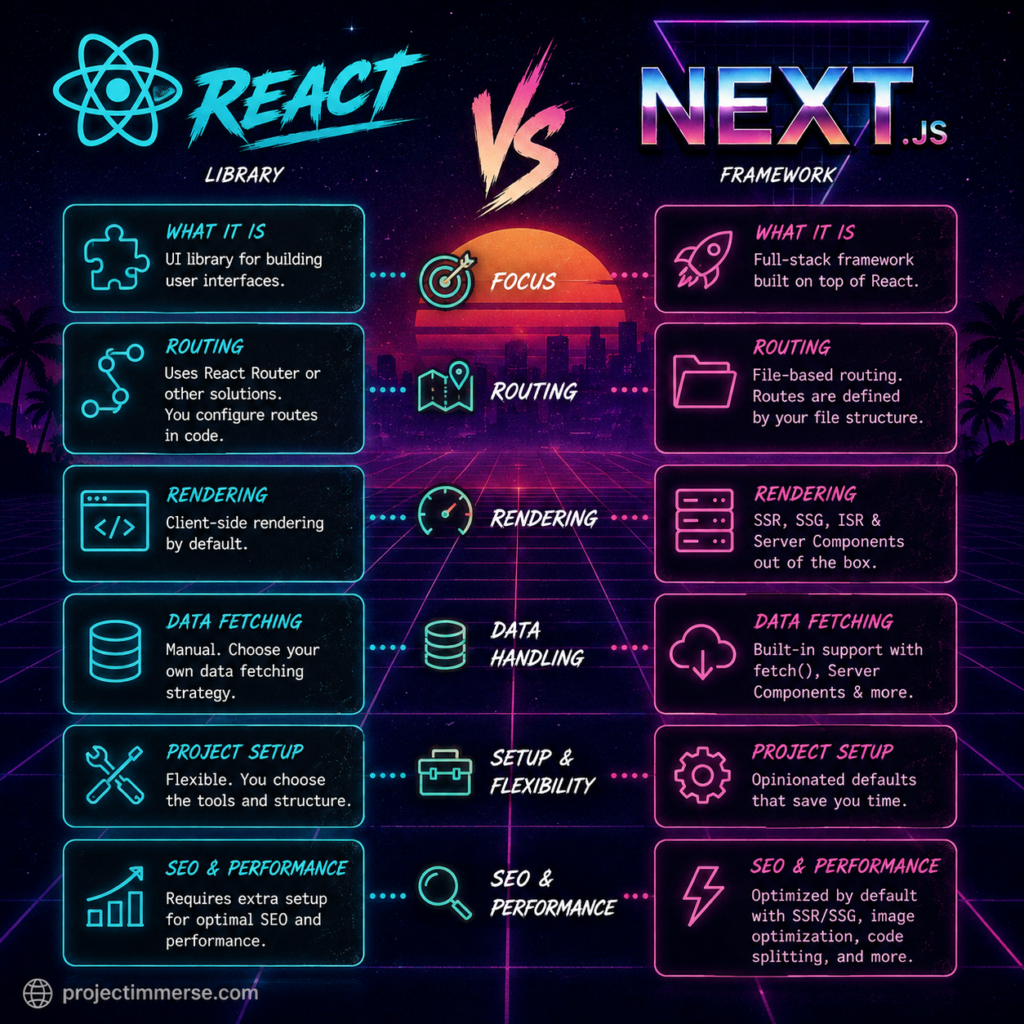
Next.js is a framework built on top of React. It takes all those unanswered questions React leaves on the table and answers them with strong, opinionated defaults: file-based routing, server-side rendering, static generation, API endpoints, image optimization, and more, all baked in.
Think of React as flour and Next.js as the whole bakery — mixer, oven, recipe book, and someone yelling at you about “best practices” while you work.
The core value proposition of Next.js is that it solves the two things vanilla React is historically bad at:
- Routing — no more manually configuring React Router
- Rendering strategy — server-side rendering (SSR), static site generation (SSG), and incremental static regeneration (ISR) all come standard
This matters enormously for SEO and performance, since a plain React single-page app ships a nearly empty HTML file and lets JavaScript do all the work client-side — which search engine crawlers and slow connections both find mildly insulting.
File-Based Routing vs. Defining App Routes
This is where a lot of the “subtle differences” live, and where people coming from vanilla React genuinely get tripped up.
In plain React (with React Router): you explicitly define routes in code.
<Routes>
  <Route path="/about" element={<About />} />
  <Route path="/blog/:slug" element={<BlogPost />} />
</Routes>
You own the routing table. It’s explicit, centralized, and very “look at this one file to see the whole site.”
In Next.js: routing is based on your file system. There’s no route config file to maintain — the folder structure is the routing table.
app/about/page.js→/aboutapp/blog/[slug]/page.js→/blog/:slugapp/dashboard/settings/page.js→/dashboard/settings
This is convenient right up until it isn’t. Nested folders, route groups (folders in parentheses like (marketing) that don’t affect the URL), and parallel routes (@modal) all introduce their own conventions you need to memorize. It’s less code, but more folder Tetris.
A subtle but important gotcha: Next.js has two generations of this system — the older Pages Router (pages/ directory, files like pages/about.js) and the newer App Router (app/ directory, files like app/about/page.js). They are not interchangeable, they behave differently around data fetching and layouts, and a shocking number of tutorials online still teach the old one. If you’re starting fresh in 2026, App Router is the way to go — but know which one you’re reading about, because mixing the mental models will make you want to throw your laptop.
Directives Worth Knowing About
Next.js introduces string-literal “directives” that change how a file behaves. These are easy to miss and even easier to forget, and forgetting them is a rite of passage.
"use client"— Placed at the top of a file, this tells Next.js “render this on the client, not the server.” Anything using browser-only APIs, state, or event handlers (onClick,useState,useEffect) needs this."use server"— Marks a function as a Server Action, meaning it runs exclusively on the server and can be called directly from client components (great for form submissions without hand-rolling an API route)."use strict"— Not Next.js-specific, this is standard JavaScript and mostly irrelevant here since modern tooling handles it automatically. Mentioned only so you don’t confuse it with the other two.
The subtlety that catches people: components are server components by default in the App Router. You don’t need a directive to make something server-rendered — you need one to opt out of it. This is the exact opposite of how React historically worked, where everything was client-side unless you did something fancy.
Server Components: The Actual Big Deal
This is arguably the single biggest conceptual shift Next.js introduces, and it’s worth sitting with.
React Server Components (RSC) let components render entirely on the server and send only the resulting HTML (plus a small serialized description) to the browser — no JavaScript for that component ships to the client at all. This is different from traditional SSR, which renders HTML on the server but still ships the full JS bundle for hydration.
Why this matters:
- Smaller JavaScript bundles (server components send zero JS)
- You can query databases or read secret environment variables directly inside a component, no API layer required
- Sensitive logic never touches the client
The catch: server components cannot use useState, useEffect, onClick, or any browser API. The moment your component needs interactivity, it needs "use client" at the top, and it becomes part of the client-rendered tree. A common (and very common) mistake is trying to add an onClick to a component and getting a cryptic error, only to realize the component is a server component that never opted into client rendering.
The practical pattern: keep server components for data-fetching and static structure, and push interactivity down into small, isolated client components. Don’t slap "use client" on your entire app just to fix one button — that defeats the purpose and you’re back to a regular SPA with extra steps.
Where Does Express.js Fit In?
Short answer: usually, it doesn’t need to anymore — but sometimes it still does.
Next.js ships its own backend capabilities via Route Handlers (app/api/*/route.js), which let you build REST-style endpoints without a separate server. For most full-stack Next.js apps, this replaces what you’d historically reach for Express to do.
Express still earns its keep when:
- You already have a large, existing Express backend and don’t want to rewrite it
- You need long-running processes, WebSocket servers, or custom server behavior that doesn’t fit Next.js’s serverless-first model
- You’re deploying Next.js purely as a frontend against a completely separate backend service (microservices architecture)
- You need fine-grained control over middleware chains that Next.js’s built-in middleware doesn’t comfortably support
If you’re building a typical app — blog, dashboard, e-commerce storefront, SaaS product — you likely don’t need Express bolted on anymore. Next.js’s Route Handlers cover 90% of what people used Express for in a React + Express combo. Keep Express around for the genuinely gnarly backend stuff, not as a habit.
Fetch API and Endpoint Differences
In plain React, fetch behaves exactly as it does in any browser — no surprises, no magic, and you’re almost always calling it inside useEffect or a data-fetching library.
Next.js extends the native fetch API with automatic caching and revalidation on the server:
// Cached indefinitely (like static generation)
fetch('https://api.example.com/data')

// Revalidate every 60 seconds (ISR-style)
fetch('https://api.example.com/data', { next: { revalidate: 60 } })

// Never cache, always fresh (like SSR)
fetch('https://api.example.com/data', { cache: 'no-store' })
This is genuinely useful but also a common source of confusion, because the same fetch() call behaves differently depending on where it’s called (server component vs. client component) and what caching options you pass. Debugging “why is my data stale” often comes down to an unnoticed default cache setting.
For creating your own endpoints, Route Handlers replace what used to be pages/api/*.js:
// app/api/users/route.js
export async function GET(request) {
  const users = await getUsers();
  return Response.json(users);
}

export async function POST(request) {
  const body = await request.json();
  // handle creation
  return Response.json({ success: true });
}
No Express, no app.get(), no middleware setup — just export a function named after the HTTP verb.
Client-Side Events: Same React, New Rules
Event handling itself — onClick, onChange, onSubmit — is unchanged; it’s still the React you know. The rule change is about where you’re allowed to use them.
In the App Router, any component using event handlers must be a client component ("use client"), because event handlers require JavaScript running in the browser, and server components never ship JavaScript to the browser in the first place. It sounds obvious once you say it out loud, but it’s the single most common beginner error in the App Router: “why won’t my button click?” is 90% of the time “you forgot the directive.”
Common Pitfalls (a.k.a. Rites of Passage)
- Forgetting
"use client"and getting confused why hooks or event handlers silently fail or throw build errors. - Overusing
"use client"on huge chunks of the app, accidentally recreating a plain SPA and losing all the server component benefits. - Mixing Pages Router and App Router conventions from mismatched tutorials — they have different data-fetching APIs (
getServerSidePropsvs. directfetchin components) and are not compatible in the same file. - Fetch caching surprises — assuming data is always fresh, or always cached, without checking the
cache/next.revalidateoptions. - Trying to use browser-only libraries (like ones touching
windoworlocalStorage) inside a server component and getting a build-time error. - Passing non-serializable props (functions, class instances) from a server component to a client component — only plain serializable data can cross that boundary.
- Treating environment variables carelessly — anything meant to stay server-only should never be prefixed with
NEXT_PUBLIC_, or it gets bundled straight into client-side JavaScript for the world to see.
A Few Extra Things Worth Knowing
- Middleware (
middleware.js) runs before a request completes — useful for auth checks, redirects, and A/B testing logic, and it runs on the Edge runtime by default. - Metadata API replaces manually managing
<head>tags — you export ametadataobject orgenerateMetadata()function per route, which is a big win for SEO without extra libraries. - Image and font optimization are built in (
next/image,next/font) and solve performance problems that plain React developers usually solve manually or not at all. - Streaming and Suspense let you show a loading state for part of a page while the rest renders, instead of blocking the whole page on the slowest data fetch.
Wrapping Up
React gives you the pieces. Next.js gives you the assembled furniture, batteries included, with a manual that occasionally contradicts itself between editions. Whether you need Next.js depends entirely on scope — a small internal tool with a handful of components might not need any of this machinery. But for anything public-facing, SEO-sensitive, or data-heavy, the server components, file-based routing, and built-in endpoint handling save real time once you get past the initial “wait, why won’t my button click” phase.
The learning curve is real, but so is the payoff. And hey — at least you don’t have to configure Webpack from scratch anymore. Some things really did get better.